Not a reservation
No community report sells, owns, reserves or guarantees a public street space.
 ParkSwap
Get the app
ParkSwap
Get the app
New York City. Your neighborhood.
You're looking for a spot. Someone nearby is leaving one. ParkSwap helps drivers share timely street-parking information—so the next move doesn't have to be another lap.
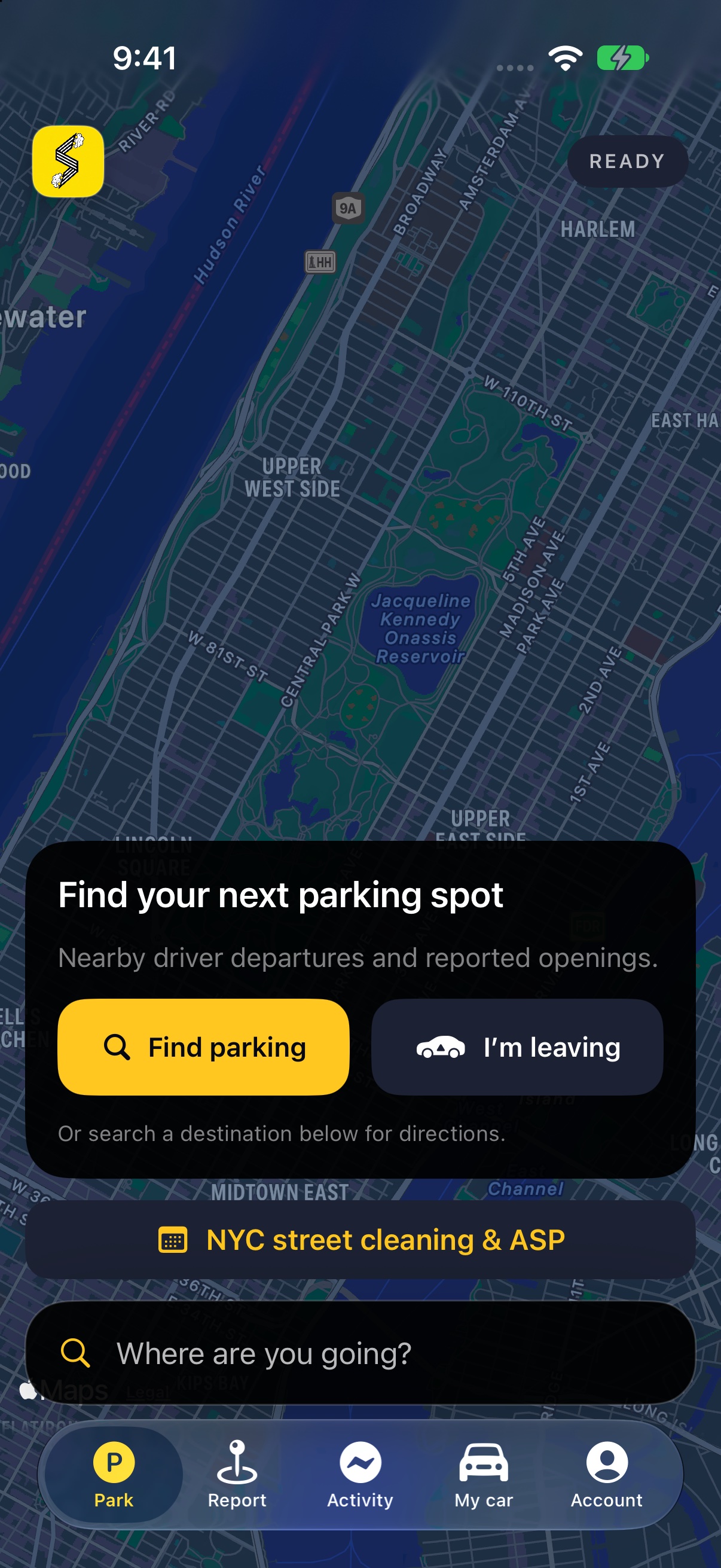
Next update preview · not yet released
One neighborhood. Two helpful actions.
Community parking works when neighbors participate. Start where you actually park—not with a promise that every block has a spot waiting.
See timely information shared by drivers and people who spotted an opening. Coverage depends on people participating nearby.
Leaving a legal street-parking spot? Share it when it's safe. You aren't selling the space or required to hold it.
A report can guide your search. Verify the space is open and legal when you arrive; the street can change before you get there.
Share your next departure. An optional thank-you after successful parking is gratitude—not payment for ownership of a public space.
Useful even before the first handoff
Alternate-side parking is part of New York life. Our NYC guide brings the published suspension calendar and official sources into one clear place.
Check scheduled ASP suspensions, then confirm last-minute changes with NYC311. A cleaning suspension doesn't automatically suspend meters or every other restriction.
Check NYC parking rulesOfficial sources. Clear limits. No “safe to park” promises.
Next update preview · not yet released
Take a photo of one NYC street-cleaning sign. Review the days and hours read on your iPhone, then save a personal cleaning calendar inside ParkSwap.
Photos stay on your device and aren't saved or uploaded. Alerts cover the next 28 days and refresh when you open ParkSwap. Phone settings can silence them. Check NYC311 for weather or emergency suspensions; other parking rules still apply.
Check NYC parking guidance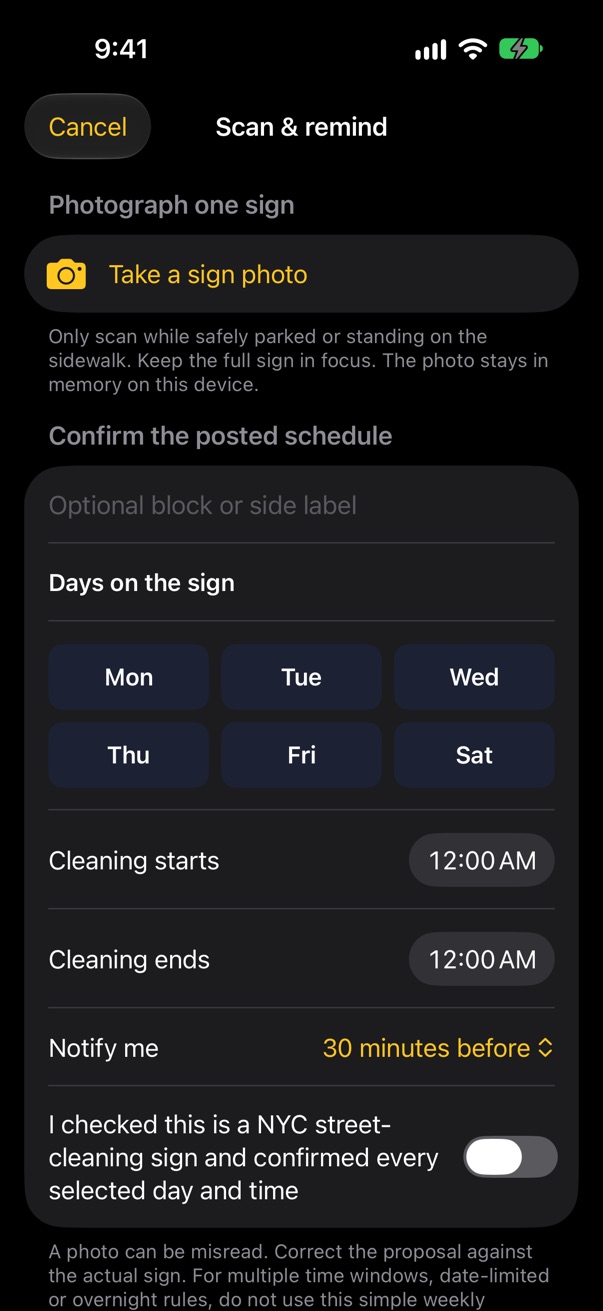
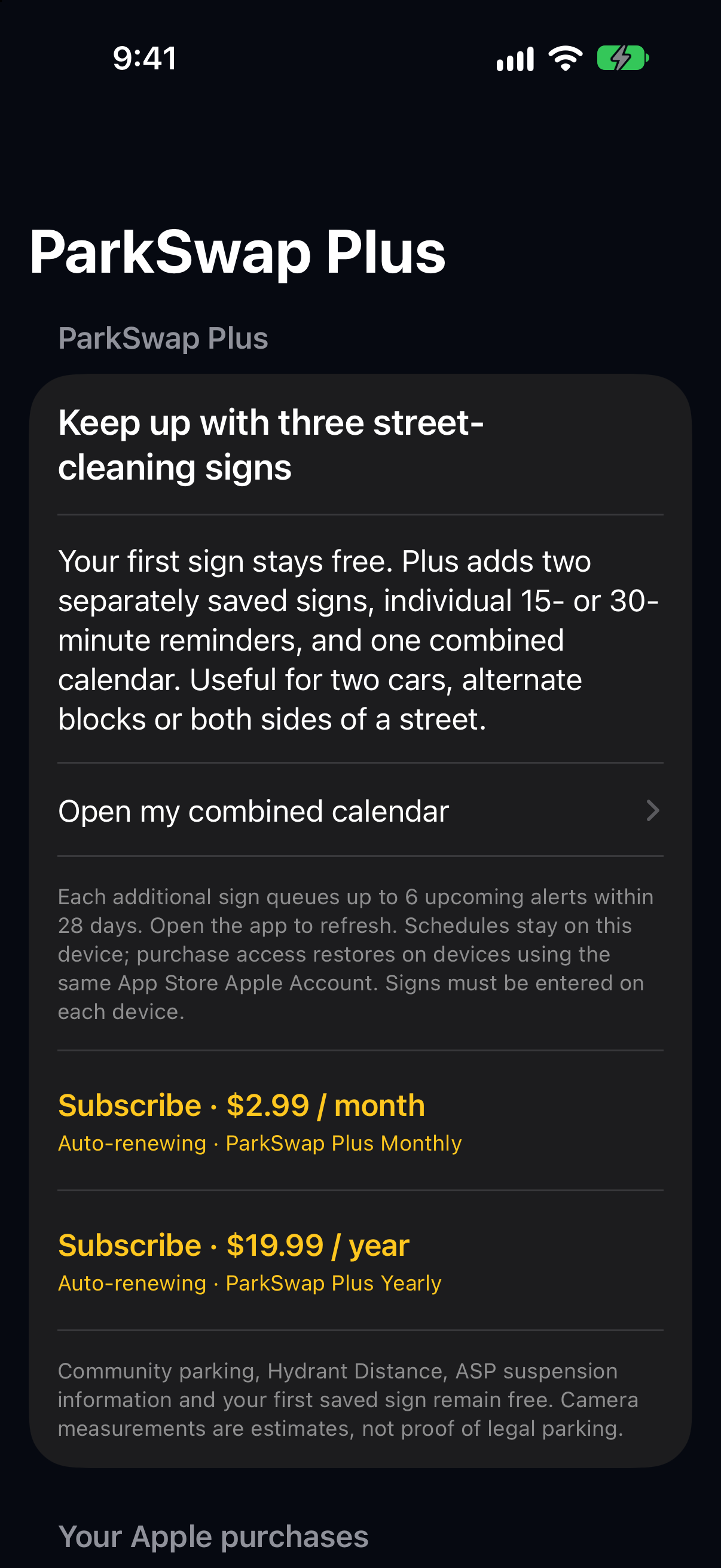
ParkSwap Plus · upcoming update, not yet available
Your first saved street-cleaning sign stays free. Optional Plus adds two more signs with separate reminders and a combined calendar—helpful for multiple cars, alternate blocks or both sides of your street.
Planned U.S. launch pricing: $2.99/month or $19.99/year, billed through Apple and automatically renewing unless cancelled. The offer still needs testing and Apple approval; there is no website checkout.
Each extra sign queues up to 6 upcoming alerts within 28 days. Open the app to refresh. Schedules remain on each device; purchase access can be restored using the same App Store Apple Account. Expired access does not delete saved schedules. Community parking, the hydrant checker and basic ASP information stay free.
Directions are still here
Keep driving guidance and your saved car close. Parking comes first, with directions supporting the trip—not burying the reason you opened ParkSwap.
Trust matters at the curb
No community report sells, owns, reserves or guarantees a public street space.
Community reports are time-limited. Availability may change before you arrive.
A thank-you is optional and user initiated. Never pay someone to obstruct traffic or hold a public space.
Read the whole block. Parking reports do not override hydrants, curb markings or local restrictions.
Before your next lap
Know exactly what ParkSwap does—and what it doesn't.
No. Reports are community information, not reservations. Someone may park before you arrive. Always verify availability and legality yourself.
There may be no reports. Use directions and the NYC parking guide, then share your own departure when safe. Each helpful report gives another neighbor a place to start.
No. Leave when safe. Do not block traffic, stand in a space or suggest that a public spot is reserved.
Not generally. ASP concerns street cleaning. Check NYC311's current notice and all other applicable restrictions, including meters.
No. It shows published 2026 calendar information and links to official current notices. Weather and emergency changes must be checked with NYC311.
In the next update, take a clear sign photo, confirm the NYC cleaning days and times, and choose 15 or 30 minutes of warning. One confirmed sign is saved per device. Dated alerts cover the next 28 days and refresh when ParkSwap opens; known scheduled ASP holidays are omitted. You can also save just the calendar if notifications are off. Never rely on a notification alone to avoid a ticket.
No. ParkSwap is independent software from NinetySix Technologies LLC, not affiliated with or endorsed by NYC government.
New York parks better together
Look for timely reports. Share when you're leaving. Make the parking search a little more human.
Community participation varies · Parking is not guaranteed